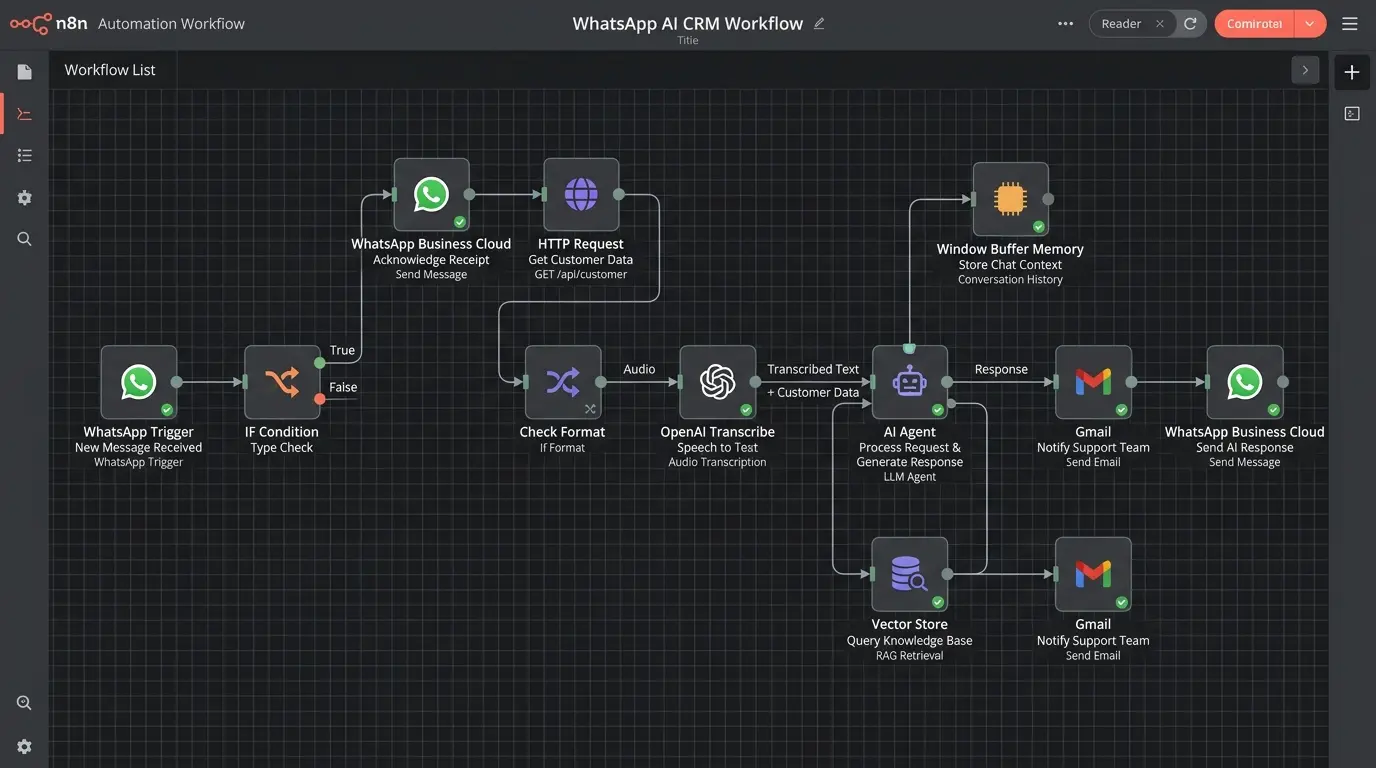
Picture this: a customer messages your WhatsApp at 11 PM asking for your price list. In the morning, you see the message — but they’ve already bought from a competitor.
That’s happening to hundreds of Sri Lankan businesses every day. And it’s entirely preventable.
WhatsApp automation lets your business respond instantly, qualify leads, confirm orders, and follow up with customers — even while you sleep. With 96% of Sri Lankan smartphones running WhatsApp and open rates hitting 98% (compared to just 20% for email), no channel comes close for reaching local customers.
In this guide, Lakion — a Sri Lankan digital agency with 14+ years of experience building automation solutions for local businesses — walks you through exactly how WhatsApp automation works, what it costs in Sri Lanka, and how to set it up for your business.
Why WhatsApp Is the #1 Business Channel in Sri Lanka
Sri Lanka is a WhatsApp-first market. According to DataReportal’s Digital 2025 Sri Lanka report, there are 8.2 million social media user identities in Sri Lanka — and WhatsApp dominates mobile messaging across all age groups and regions, from Colombo to Gampaha to Kandy.
The business case is simple:
- 98% open rate — WhatsApp messages are read. Emails often aren’t. (WapiKit, 2025)
- 65% of businesses report higher ROI after integrating WhatsApp into their customer communications (Zixflow)
- 5× more leads generated via WhatsApp chatbots compared to standard web forms (Hyperleap AI)
- 30% reduction in communication costs reported by businesses switching to WhatsApp Business API (Gallabox)
For Sri Lankan SMEs — where every lead counts and most customer relationships are personal — WhatsApp automation is not a luxury. It’s quickly becoming a competitive necessity.
WhatsApp Business App vs WhatsApp Business API: What’s the Difference?
This is the question most Sri Lankan business owners get wrong — and it matters before you automate anything.
WhatsApp Business App (Free)
The free WhatsApp Business App is designed for small businesses managed by one person. It gives you:
- A business profile with your hours, address, and catalogue
- Quick replies and basic away messages
- Labels to organise contacts
Limitation: It works on one phone, with one user. You can’t connect it to your CRM, e-commerce store, or booking system. You can’t send automated sequences. It doesn’t scale.
WhatsApp Business API (For Automation)
The WhatsApp Business API is what serious automation runs on. It allows you to:
- Connect WhatsApp to any external system (n8n, Zapier, your CRM, WooCommerce, etc.)
- Send automated messages triggered by events (new order, payment due, booking confirmed)
- Build chatbots that respond intelligently to customer queries
- Run multiple agents from one number
- Send broadcast messages to opted-in customers at scale
The API is what Lakion uses to build WhatsApp automation systems for Sri Lankan businesses. It requires setup through Meta’s Business platform and a verified business account — but once it’s running, the results are significant.
Quick rule of thumb: If you need to respond to more than 30 customers a day, or if you want automation triggered by orders, payments, or bookings — you need the API.
6 WhatsApp Automation Use Cases for Sri Lankan SMEs
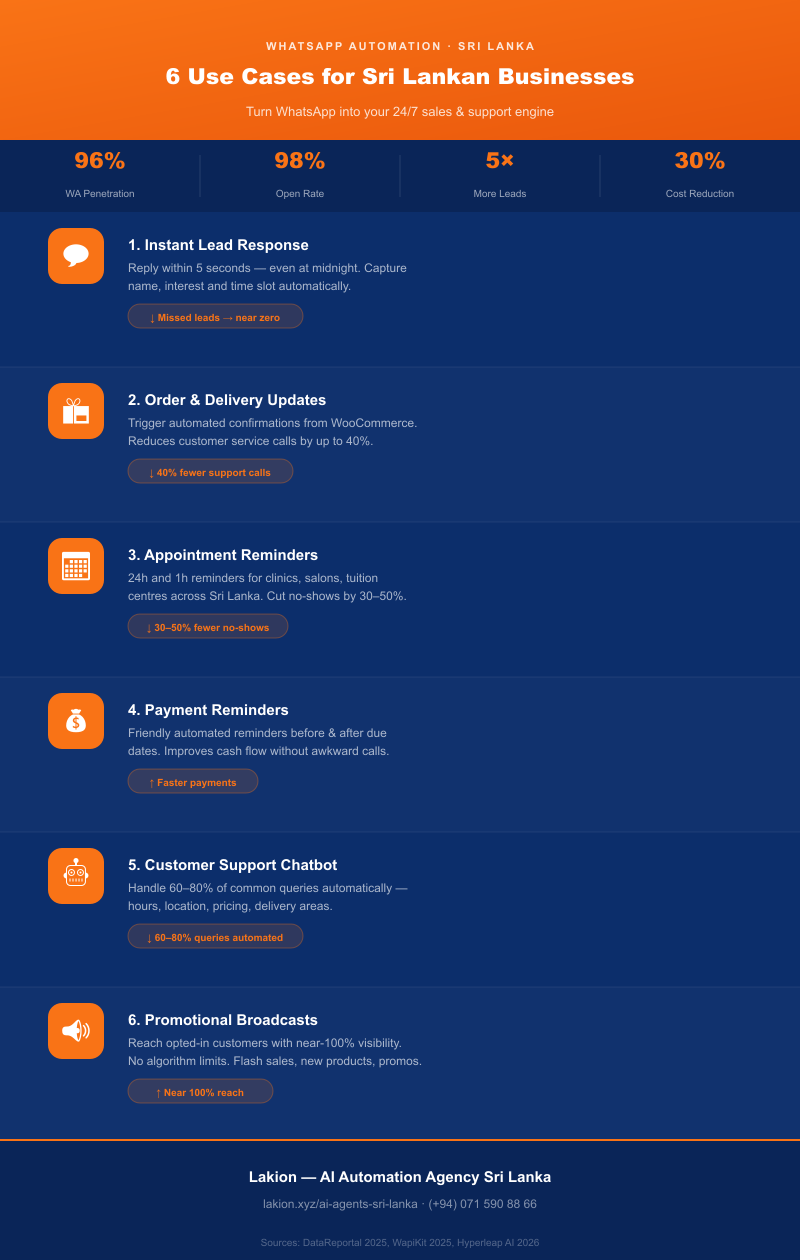
Here are the most impactful WhatsApp automations Lakion has built for local businesses:
1. Instant Lead Response & Qualification
A customer sends “I’m interested in your packages” at midnight. Without automation, they wait until morning. With automation, they receive your price list, packages, and a booking link within 5 seconds.
Real example: A Gampaha beauty salon implemented an auto-reply agent that captures name, service interest, and preferred time slot — all before a human ever sees the message. Missed leads dropped to near zero.
2. Order Confirmation & Delivery Updates
For e-commerce and retail businesses, customers want to know their order arrived, was packed, and is on the way. Automating these updates via WhatsApp reduces customer service calls by up to 40%.
How it works: Your WooCommerce or order management system triggers an n8n workflow → the workflow sends a WhatsApp message with order details and a tracking link. Zero manual effort.
3. Appointment Reminders
No-shows cost Sri Lankan clinics, salons, tuition centres, and service businesses thousands of rupees a month. A simple WhatsApp reminder sent 24 hours and 1 hour before an appointment can cut no-shows by 30–50%.
This connects directly to Lakion’s AI agent services for Sri Lankan businesses — where appointment booking and reminders are one of the most-requested automation workflows we build.
4. Payment & Invoice Reminders
Late payments are a persistent challenge for Sri Lankan B2B businesses. An automated WhatsApp reminder — friendlier than a formal email — sent 3 days before, on the day, and 2 days after a due date significantly improves cash flow.
5. Customer Support Chatbot
A well-built WhatsApp chatbot can handle 60–80% of common customer queries without human involvement: “What are your working hours?”, “Where are you located?”, “Do you deliver to Kandy?”, “What’s your returns policy?”
This frees your team to handle complex enquiries — while customers get instant answers at any hour.
6. Promotional Broadcasts to Opted-In Customers
Once customers opt in to receive messages from your business, WhatsApp becomes your most powerful marketing channel. A broadcast message about a new product, seasonal promotion, or flash sale reaches opted-in customers with near-100% visibility — something no social media algorithm can offer.
💡 Expert Insight — Lakion, Sri Lanka’s AI Automation Agency
With 14+ years of experience building digital solutions for Sri Lankan businesses, Lakion’s automation team has seen one pattern consistently: the businesses that grow fastest are the ones that never let a lead go cold. WhatsApp automation isn’t just about saving time — it’s about being the business that responds first, every single time. In the Sri Lankan market, where buying decisions are heavily relationship-driven, that first response is often the sale.
How Much Does WhatsApp Automation Cost in Sri Lanka?
This is where most guides fail Sri Lankan business owners — they quote USD prices that mean nothing locally. Here’s a realistic breakdown:
Meta’s Message Pricing (as of 2026)
WhatsApp Business API charges per conversation (a 24-hour window), not per message. The rates vary by category:
| Conversation Type | Approx. Cost (USD) | Approx. Cost (LKR) |
|---|---|---|
| Marketing (promotional) | ~$0.040–0.060 | ~LKR 12–18 |
| Utility (order updates, reminders) | ~$0.005–0.010 | ~LKR 1.50–3 |
| Service (customer-initiated, 24hr window) | Free | Free |
What this means for a typical Gampaha SME:
- Sending 500 order update messages/month: ~LKR 750–1,500
- Running a chatbot that handles 200 customer queries/month: Free (customer-initiated)
- Running a monthly promo broadcast to 1,000 customers: ~LKR 12,000–18,000
Setup and Monthly Costs
Beyond Meta’s fees, you’ll need either:
Option A — DIY with n8n (cheapest for technical users)
Use Lakion’s n8n automation platform in Sri Lanka to self-host your WhatsApp workflows. Infrastructure cost: ~LKR 3,000–8,000/month for a VPS.
Option B — Managed automation by Lakion
One-time setup + monthly management. Recommended for businesses that want it done properly without a technical team. Pricing varies by workflow complexity — contact Lakion for a quote.
Option C — Third-party SaaS platforms
Tools like ShoutOUT (Sri Lanka-based) or international platforms like Gallabox or AiSensy charge monthly subscriptions (typically $30–$150 USD/month) and handle the API connection for you.
WhatsApp Automation Providers Available in Sri Lanka
| Provider | Type | Sri Lanka Support | Notes |
|---|---|---|---|
| Lakion | Agency (done-for-you) | ✅ Yes | Custom n8n workflows, AI agents, full setup |
| ShoutOUT | SaaS platform | ✅ Yes (local) | Sri Lanka-based, LKR pricing available |
| Text.lk | SMS/WhatsApp API | ✅ Yes (local) | API-focused, requires developer |
| CloudCoder | Development agency | ✅ Yes | Custom builds, Colombo-based |
| Gallabox | SaaS platform | ✅ International | Good for e-commerce, USD pricing |
| AiSensy | SaaS platform | ✅ International | Strong for broadcasts, USD pricing |
For most Sri Lankan SMEs, the choice comes down to how much technical involvement you want. If you want a system built, tested, and handed to you — an agency like Lakion is the right fit. If you’re comfortable managing a SaaS dashboard yourself, a platform like ShoutOUT works well.
How to Get Started with WhatsApp Automation in 4 Steps
Step 1 — Set Up a WhatsApp Business Account
If you don’t already have one, download the WhatsApp Business App and create a business profile. Verify your business phone number. This is the foundation everything else builds on.
Step 2 — Apply for WhatsApp Business API Access
Go to Meta Business Manager, create a verified business account, and apply for API access. You’ll need:
- A registered business (sole trader or company)
- A phone number not already registered to WhatsApp
- A Facebook Business account in good standing
Meta typically approves Sri Lankan businesses within 2–5 business days.
Step 3 — Choose Your Automation Stack
For most Sri Lankan SMEs, Lakion recommends n8n + WhatsApp Cloud API — it’s free to self-host, highly customisable, and scales without per-message SaaS fees. Connect it to your existing tools: WooCommerce, Google Sheets, your booking system.
If you’re not technical, this is where Lakion’s AI automation team takes over. We design the workflows, build the connections, and hand you a system that runs itself.
Step 4 — Build, Test, and Launch Your First Workflow
Start simple. The highest-ROI first automation for most Sri Lankan businesses is a lead auto-reply — anyone who messages your WhatsApp number outside business hours gets an instant, friendly response with your services menu and a link to book a call.
Once that’s running, layer in order updates, reminders, and chatbot flows one at a time.
Frequently Asked Questions
How do I set up WhatsApp automation for my small business in Sri Lanka?
Start with the WhatsApp Business App for basic quick replies and away messages. For full automation — triggered responses, chatbots, order updates — you need the WhatsApp Business API connected to an automation platform like n8n or a SaaS tool like ShoutOUT. Lakion can set up the entire system for you, including API access, workflow design, and testing. Contact us for a free consultation.
What is the difference between WhatsApp Business App and WhatsApp Business API?
The WhatsApp Business App is a free mobile app for very small businesses — one user, one phone, basic away messages. The WhatsApp Business API is a developer-level integration that allows full automation, chatbots, CRM connections, and broadcast messaging at scale. If you want real automation, you need the API.
How much does WhatsApp Business API cost in Sri Lanka?
Meta charges per conversation, not per message. Utility conversations (order updates, reminders) cost approximately LKR 1.50–3 each. Marketing broadcasts cost approximately LKR 12–18 per conversation. Customer-initiated service conversations within a 24-hour window are free. Setup and management fees vary by provider.
Can I automate order confirmations and delivery updates on WhatsApp?
Yes — this is one of the most common automations Lakion builds for Sri Lankan e-commerce and retail businesses. When an order is placed in WooCommerce or your system of record, an automated workflow sends the customer an instant WhatsApp confirmation with order details, and a follow-up when the item is dispatched.
Is WhatsApp automation legal in Sri Lanka?
Yes, provided you follow Meta’s policies and Sri Lanka’s data protection guidelines. Key rules: you can only send marketing messages to customers who have explicitly opted in. You cannot send spam or unsolicited promotions. Customer service conversations (customer-initiated) have no restrictions. Always include an easy opt-out option in broadcast messages.
Which WhatsApp automation tools work in Sri Lanka?
Sri Lanka-based options include ShoutOUT and Text.lk (API provider). International platforms like Gallabox, AiSensy, and Twilio all support Sri Lankan phone numbers. For businesses that want custom workflows built on open-source infrastructure, Lakion builds automation systems using n8n and the WhatsApp Cloud API — giving you full control without monthly SaaS fees.
Start Automating Your WhatsApp Today
WhatsApp is where your Sri Lankan customers already are. With 96% smartphone penetration and 98% open rates, no other channel gets your message seen faster or more reliably.
The businesses winning in Sri Lanka right now are the ones responding instantly — at 11 PM, on Sunday, during a public holiday. Automation makes that possible without burning out your team.
Ready to set up WhatsApp automation for your business? Get in touch with Lakion’s team for a free consultation. We’ll map out the right workflows for your business and have you live within days.
Explore more about how AI agents can automate your entire customer journey — from first inquiry to repeat purchase.